



JobelHome Isabel Apartments
This page contains important information for your stay. Without it, you may not be able to enter the apartment.
Please review the menu items mentioned below before arrival to avoid any issues.
Directions to your Apartment
1072 Budapest, Dob Street 52,
Top Floor, Flat 3

Arriving by Public Transport

Arriving by Car
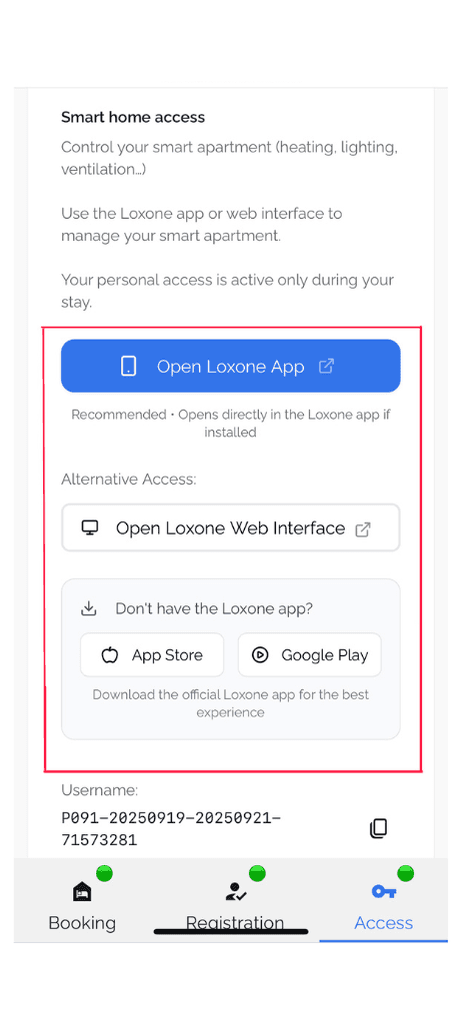
Access your apartment
⚠️ Access Info: Please read carefully! ⚠️
How do you enter the building?
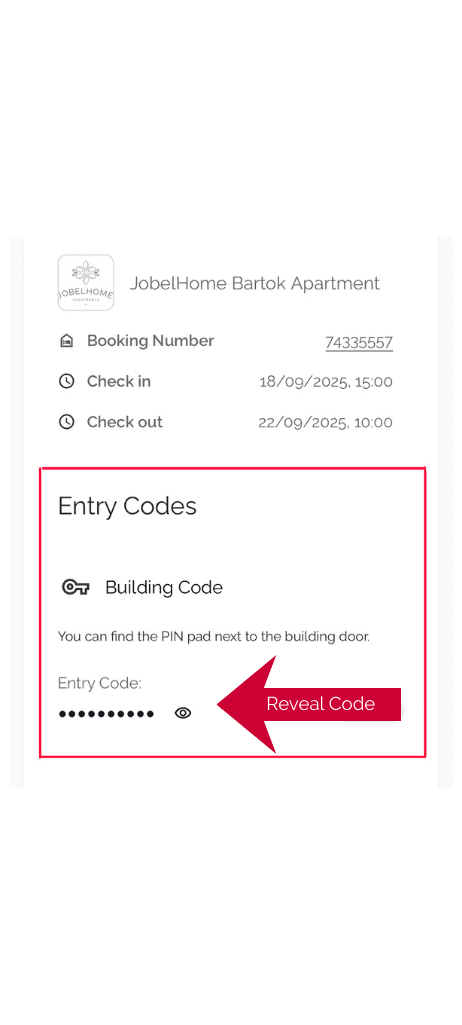
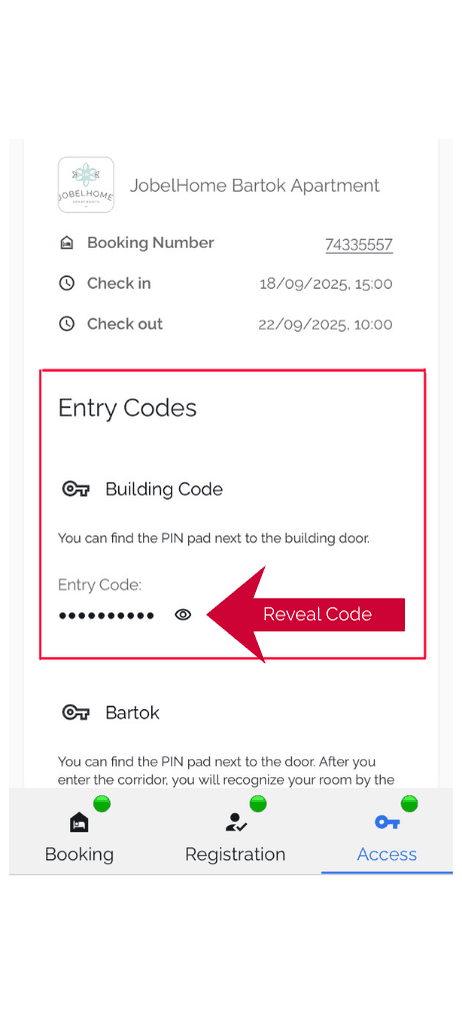

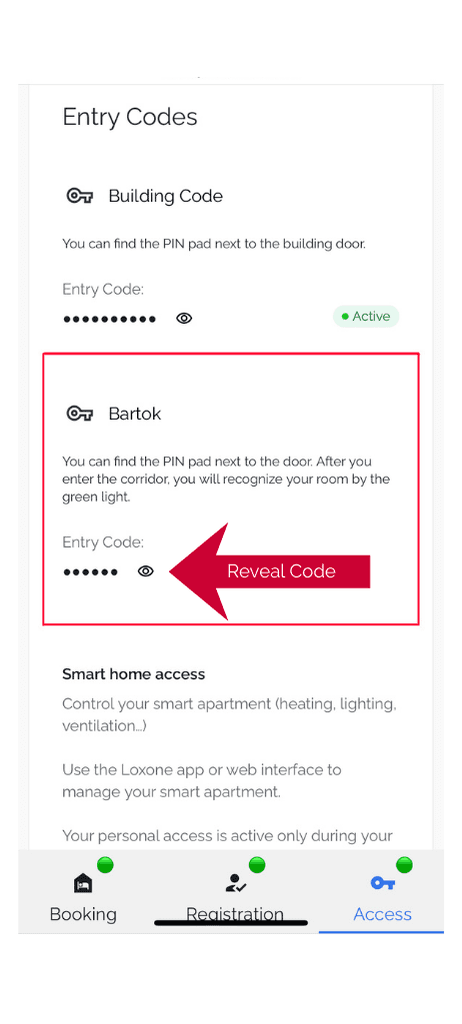
Find your apartment
⚠️ Directions to your apartment ⚠️

Enter your apartment
⚠️ Next! unlock your apartment ⚠️
Exit your apartment
⚠️ Lock & arm your apartment in seconds ⚠️
Arming
Exiting the Building
⚠️ Avoid getting locked in ⚠️
When leaving the building, please note the following steps to avoid getting locked between doors:
To the left of the building door, you will find a button.
➝ Press this button twice to unlock the door.Once the first door is open, you will see a second door directly in front of you.
Important:
Do not close the first door until you have opened the second one, otherwise you may get locked between the two doors.
Sleep Mode
⚠️ Prepare for a quiet night ⚠️
What is Sleep Mode?
All moving sensors will be deactivated, so the lights cannot be switch on because of moving in the bed or apartment in the night.
Ventilation will be allowed on a low and silent level only.
All lights in the whole apartment except the orientation lights will be switched off.
With Control Panel
The Control Panel

Feedback
Connect to Wifi

Early Check-in & Late Check-Out

Pet Guidelines

Luggage Storage
General information
Extra cleaning
Energy Management Automation
Controlling the Blinds
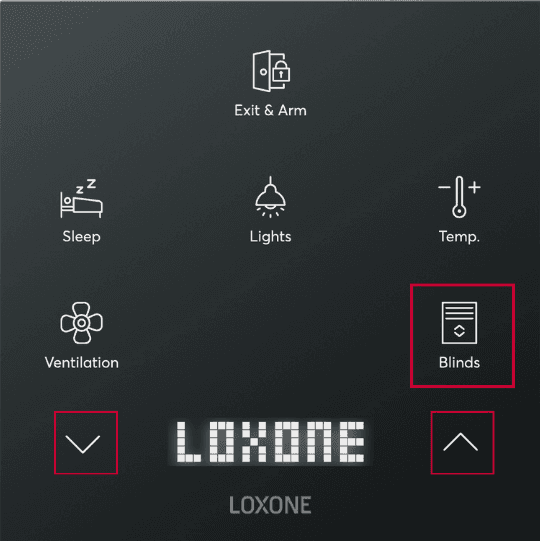
Smart Home Controls
Heating & Cooling Controls
You have 2 options for managing the climate in your apartment
Central control for the whole home
Using the plus and minus you can control the temperature from the Loxone app or Loxone Flex control panel in your apartment. The label Temperature will be your room temperature and the label Requested Temperature is the temperature you are trying to set. With this + and - you are controlling the temperature of all rooms in the apartment.
Responsible Operational Manager
Endicon Kft
Postal address: 1012, Budapest Attila út 75. 4/34.
Company registration number: 01-09-208117 (Fővárosi Törvényszék Cégbírósága)
DUNS number: 40-168-2642
VAT number: 25318146-2-41
EU VAT number: HU25318146
Endicon Kft. is a limited liability company under Hungarian law with its head office in Budapest.
Managing director and founder: Balázs Endrédi
Have Questions?
Contact our customer service team!
Telephone: +49 7125 9376542 / +36 20 2419634
Email : dob52.booking@jobelhome.com


